Media
Linux Media Downloader
(lin-mediadownloader)
Save online videos, playlists and music to your desktop.
Maintenance Local · offline-first
How to install: Run the one-line installer, which sets everything up and adds it to your program menu with its own icon; a portable self-contained version is also available.
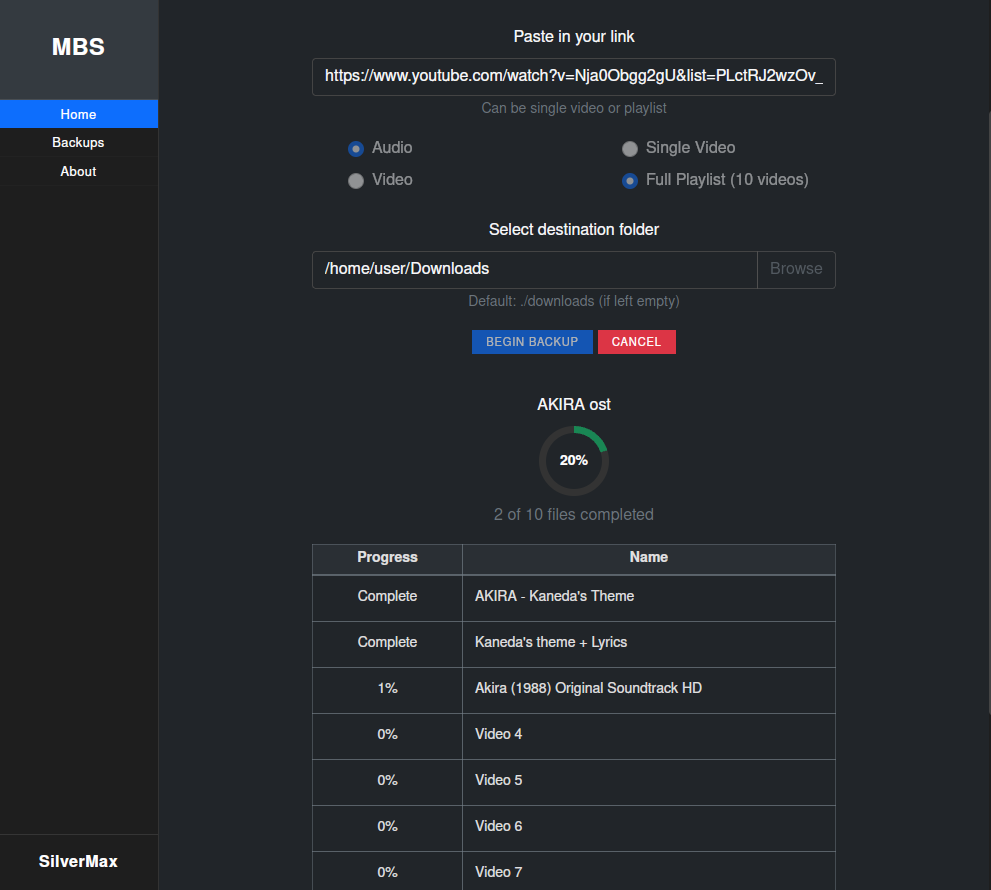
Overview
Linux Media Downloader is a lightweight desktop app for saving online videos, whole playlists and music for personal, educational or non-commercial use. Choose audio or video, watch real-time progress, and keep everything organized with a built-in player, history and playlist manager. It runs as a normal desktop window or in your web browser.
Platform: Linux desktop (also runs in a web browser)
Features
Download single videos or entire playlists
Save as audio-only or full video
Real-time progress with the ability to cancel cleanly
Download and links history so you never lose track
Skip overly long tracks and automatically ignore duplicates
Playlist manager to rename, tidy filenames and bulk-organize
Built-in player to preview, curate and build new playlists
Runs as a desktop window or in your web browser
What you can do
1Paste a link and download a video, playlist or just the audio.
2Track progress live and cancel any download mid-way.
3Organize and clean up your downloaded playlists in bulk.
4Play and curate your saved files from a built-in player.
Get Linux Media Downloader
Download comes straight from the project's source on GitHub — nothing is hosted here.
Download