Printing
Linux Printer Utility
(lin-printer)
Print anything to your USB printer, exactly as you expect.
Local · offline-first
How to install: Download the repository and run the included installer, or use the ready-made package for a system-wide setup shared by everyone on the computer. Both work completely offline.
Overview
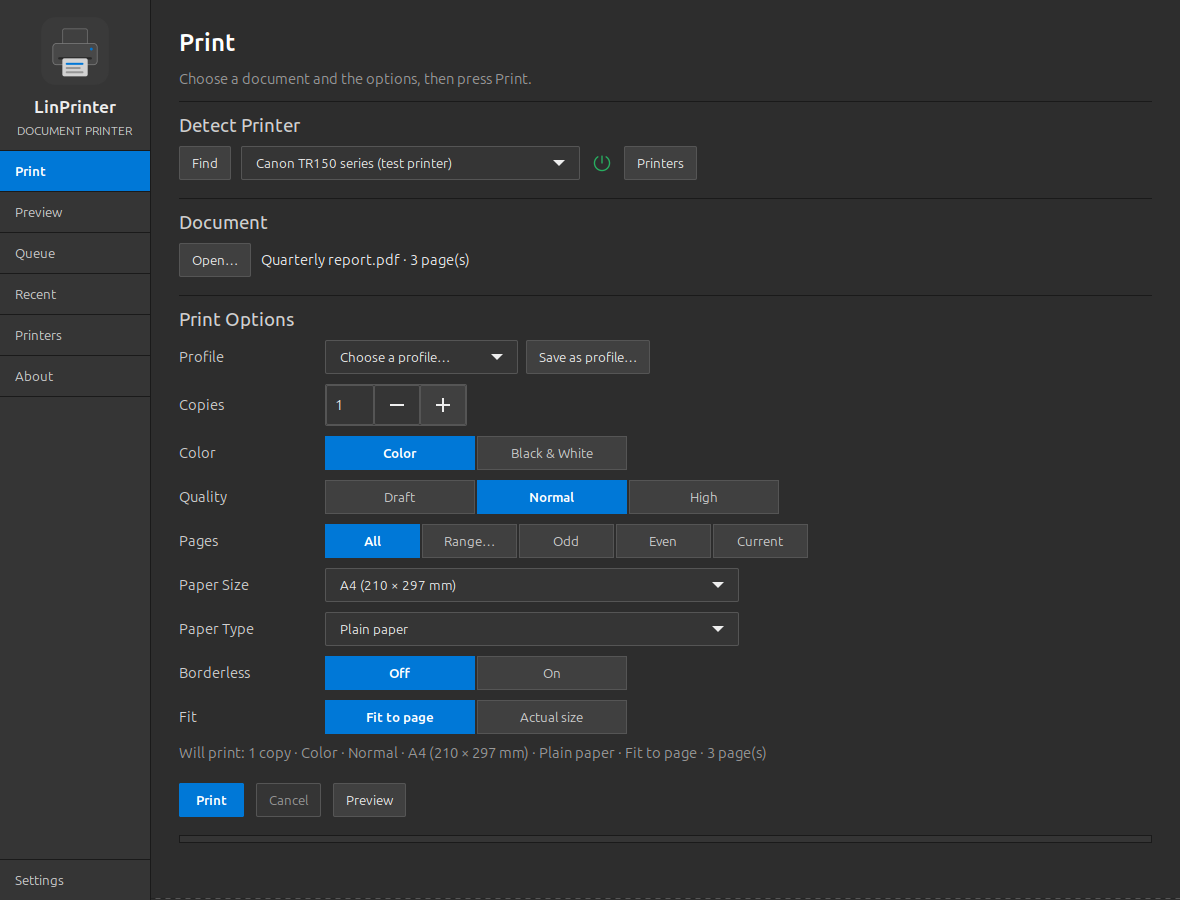
LinPrinter is a friendly document printer for Linux desktops that lets you print PDFs, images, and text to a cable-connected printer with a true preview of the result beforehand. It tracks your jobs, checks ink levels, and guides you through printer setup and testing in plain language. A sibling to LinScanner, it keeps everything local and private.
Platform: Linux desktop
Features
Prints PDFs, photos, images, and plain text
Accurate on-screen preview of exactly what will print
Full control over copies, color, quality, page ranges, and paper
Offers only the options your printer actually supports
Live job queue with the ability to cancel in progress
Ink-level display, printer identification, and test pages
Reprint from a recent-documents history in one click
Print to PDF without a printer attached
What you can do
1Finds your printer automatically and reconnects on its own when needed.
2Sends documents to print with a clear summary and real-time progress.
3Helps set up, test, and maintain the printer with quality and alignment pages.
4Saves documents as PDF files and keeps a reprintable history of recent jobs.
Get Linux Printer Utility
Download comes straight from the project's source on GitHub — nothing is hosted here.
Download