Scanning
Linux Scanner Utility
(lin-scanner)
Turn any USB scanner into clean, ready-to-share documents.
Local · offline-first
How to install: Download the repository, then run the included installer, which adds the app to your applications menu and sets up everything it needs. It runs entirely offline, and you can re-run it safely at any time.
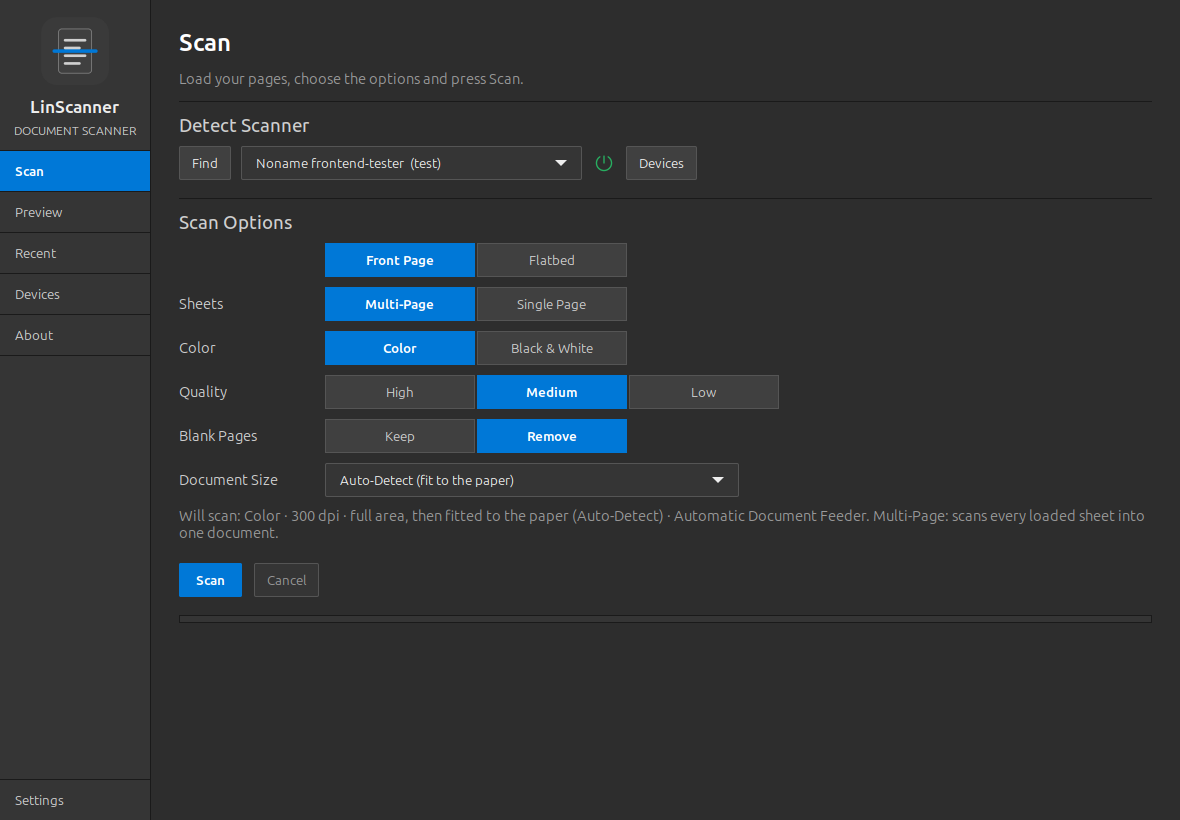
Overview
LinScanner is a universal document scanner for Linux desktops that works with virtually any cable-connected scanner or all-in-one printer. Scan in color or black and white, preview and tidy up your pages, then save them as polished PDFs or images. Everything stays on your own machine, with nothing sent to the cloud.
Platform: Linux desktop
Features
Works with almost any USB scanner or multifunction printer
Color or black-and-white scanning at your choice of quality
Single-sided, double-sided, and flatbed scanning modes
Live preview with zoom, page navigation, and thumbnail strips
Crop, rotate, remove, add text, and apply a saved signature to pages
Automatic clean-up: auto-crop, deskew, and blank-page removal
Save as PDF, TIFF, PNG, or JPEG, with searchable-PDF and OCR options
Remembers your scanner and settings for a fast start
What you can do
1Detects connected scanners automatically and reports their status in plain language.
2Captures pages from a stack or flatbed into a single document or separate files.
3Lets you edit, reorder, crop, and annotate scanned pages before saving.
4Exports finished documents and keeps a searchable history of what you saved.
Get Linux Scanner Utility
Download comes straight from the project's source on GitHub — nothing is hosted here.
Download